
Preamp-Only vs. Full-Amp Captures: Why It Matters and What Neural DSP Isn't Telling You
You found a Quad Cortex capture on Cortex Cloud that sounds incredible in the demo clip. You download it, drop it into your signal chain, and something isn't right. It's boomy, or thin, or just off compared to the preview. The capture gets buried in your library.
Here's what's probably happening: you don't actually know what's inside that capture. And Neural DSP isn't making it easy to find out.
There Are Three Different Things People Call a "Capture"
When someone says they made a "capture" of an amp, they could mean three completely different things, and all three look identical on Cortex Cloud.
Preamp-only capture (also called a "DI capture")
The amp's FX loop send goes into the QC capture input. This captures the preamp stage only: the part of the amp that does the EQ shaping and most of the overdrive/distortion. The power amp, speaker, and microphone are completely excluded. By itself, this capture isn't ready to use. It needs a power amp stage and a cab/IR after it.
Full amp + cab capture
The QC capture input is connected to a microphone picking up a physical speaker cabinet. This captures everything in one model: preamp, power amp, speaker, cabinet resonance, microphone, and mic preamp. It's ready to use without adding anything else.
Amp head only (no cab)
The amp runs into a reactive load box and the QC captures from the load box's line-level output. This captures preamp + power amp together, but excludes the cabinet and microphone. Still needs a cab/IR after it.
Same block icon in the QC. Same upload button on Cortex Cloud. No visual difference whatsoever.
Cortex Cloud Doesn't Tell You Which One You're Getting
This is the core problem. Neural DSP does not require creators to specify capture type when uploading to Cortex Cloud. There's no required field for it. The only way to know is if the creator wrote it in the description, and many don't bother, or describe it in ways that don't make the type clear.
Commercial vendors like Amalgam Captures have built their own labeling conventions ("DI" vs. "CAB") precisely because the platform doesn't enforce a standard. But for the thousands of captures uploaded by individual players, you're often guessing.
This isn't a small edge case. The type of capture completely determines how it should be used. Getting it wrong gives you a signal chain that sounds wrong. The fix isn't EQ.
What Goes Wrong When You Pair the Wrong Type with the Wrong Setup
Preamp capture → straight into a cab IR
It'll likely sound thin or direct compared to a real amp. What's missing is the power amp stage: the compression and sag from the output tubes, the even-order harmonic content from the output transformer, and the specific EQ curve that comes from the interaction between the amp's output impedance and the speaker. None of this is in a preamp-only capture, and the cab IR doesn't add it. Some players prefer this cleaner result, but if you're chasing a realistic amp feel, you're missing a layer.
Full amp + cab capture → another cab IR stacked on top
This is really a double-cab problem (often loosely called "double power amp"). A full amp+cab capture already contains a speaker, mic, and power amp; add a separate cab IR after it and you're running the signal through two cab stages. That stacked cab coloration is what reads as boomy, dark, or unclear. Power-amp doubling on its own is usually subtler and depends heavily on the captures and your levels — the cab doubling is the part you actually hear.
The fix is simple once you understand the cause: a full amp+cab capture is meant to be the entire amp-and-cab block. Nothing goes after it except effects.
The Tube vs. Solid State Question (And Where It Gets Complicated)
Let's talk about cab IRs specifically, because this is where even experienced players get confused, and where the lack of documentation does the most damage.
A standard impulse response is captured using a linear recording process: a sine sweep or test impulse goes through the speaker and microphone chain and records the frequency response. Because it's linear, the nonlinear behaviors of a tube power amp (the sag, the compression, the dynamic harmonic distortion) cannot actually be captured in a standard IR. IRs can only model what is linear.
What does get recorded in a tube-powered IR is the amp's frequency fingerprint: the tonal EQ shape created by the interaction between the output transformer and the speaker's impedance curve. Different tube types (6L6, EL34, EL84, KT88) produce measurably different EQ shapes, and those end up baked into the IR. This is audible: IR vendors have released packs with specific tube types baked in and describe clearly audible EQ differences when switching between them.
So: when someone captures a cab IR with a tube power amp running through it, you're getting that tube type's EQ curve in the IR, not the dynamic behavior. Pair that with a full amp+cab capture, and you're stacking two EQ curves. That's why the result sounds over-colored and heavy in the low end.
Neural captures of cabs are a different story. The QC's neural capture system explicitly targets nonlinear behavior. That's the stated engineering advantage over standard IRs. In theory, a neural capture made from a cabinet driven by a tube power amp could capture the tube amp's dynamic characteristics alongside the cab's acoustic response. This hasn't been rigorously tested in any public documentation, but the capability is there in the model. Practical takeaway: if you're using neural cab captures from Cortex Cloud, there's a higher probability that tube power amp behavior is baked in, yet another thing the capture page probably doesn't mention.
The Correct Signal Chain for Each Type
Preamp-only capture: → Preamp capture → Power amp stage → Cab IR
The QC's built-in amp models don't let you isolate just the power amp section; they bundle preamp and power amp together with no way to separate them. But Neural DSP ships factory "PA" captures that are neural captures of power amp sections only. You'll recognize them by names like "Brit PA EL34" or "CA PA-sim290" in the factory presets. These are the right tool between a preamp capture and a cab, and you can find additional power amp-only captures on Cortex Cloud if you search specifically for them.
Full amp + cab capture: → Full capture → Effects → Output
That's it. The cab is already in the capture. Don't add another cab.
Amp head only (load box capture): → Amp head capture → Cab IR
The power amp is already in there. Go straight to the cab.
How to Tell What You Have
On Cortex Cloud: read the description carefully. Look for words like "DI," "preamp only," "FX loop," "full amp," "cab included," or "mic'd." If the description is absent or vague, you're working blind.
A few other clues:
- If the capture sounds usable without any cab/IR after it, it almost certainly has the cab baked in
- If it sounds thin and direct with no cab, it's almost certainly preamp-only
- If it sounds boomy and dark no matter what you do to the EQ, you may have a full amp+cab capture with another cab accidentally stacked on top
The most reliable approach: buy from vendors who use a consistent, documented labeling convention, or capture the amp yourself so you know exactly what's in the chain.
A Rare Example of a Manufacturer Getting This Right: The Peavey 5150
Most amps leave you to figure out the FX loop yourself. The original Peavey 5150 block letter doesn't. It has a dedicated Preamp Out jack on the back panel. Not just an FX loop send that doubles as a preamp tap. A labeled, dedicated output for the preamp signal.
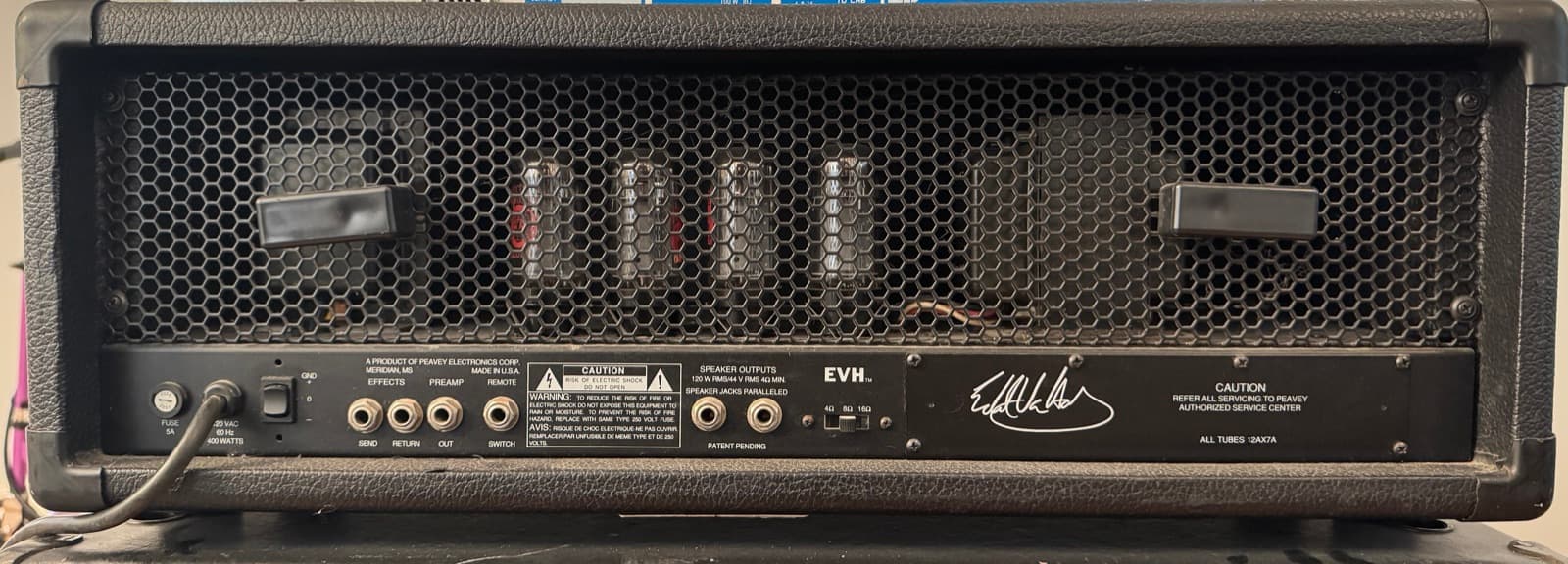
The signal comes from post-preamp, pre-power-amp. You can plug directly from that jack into the QC capture input without touching the speaker output at all. There's no ambiguity about where in the chain you're tapping.
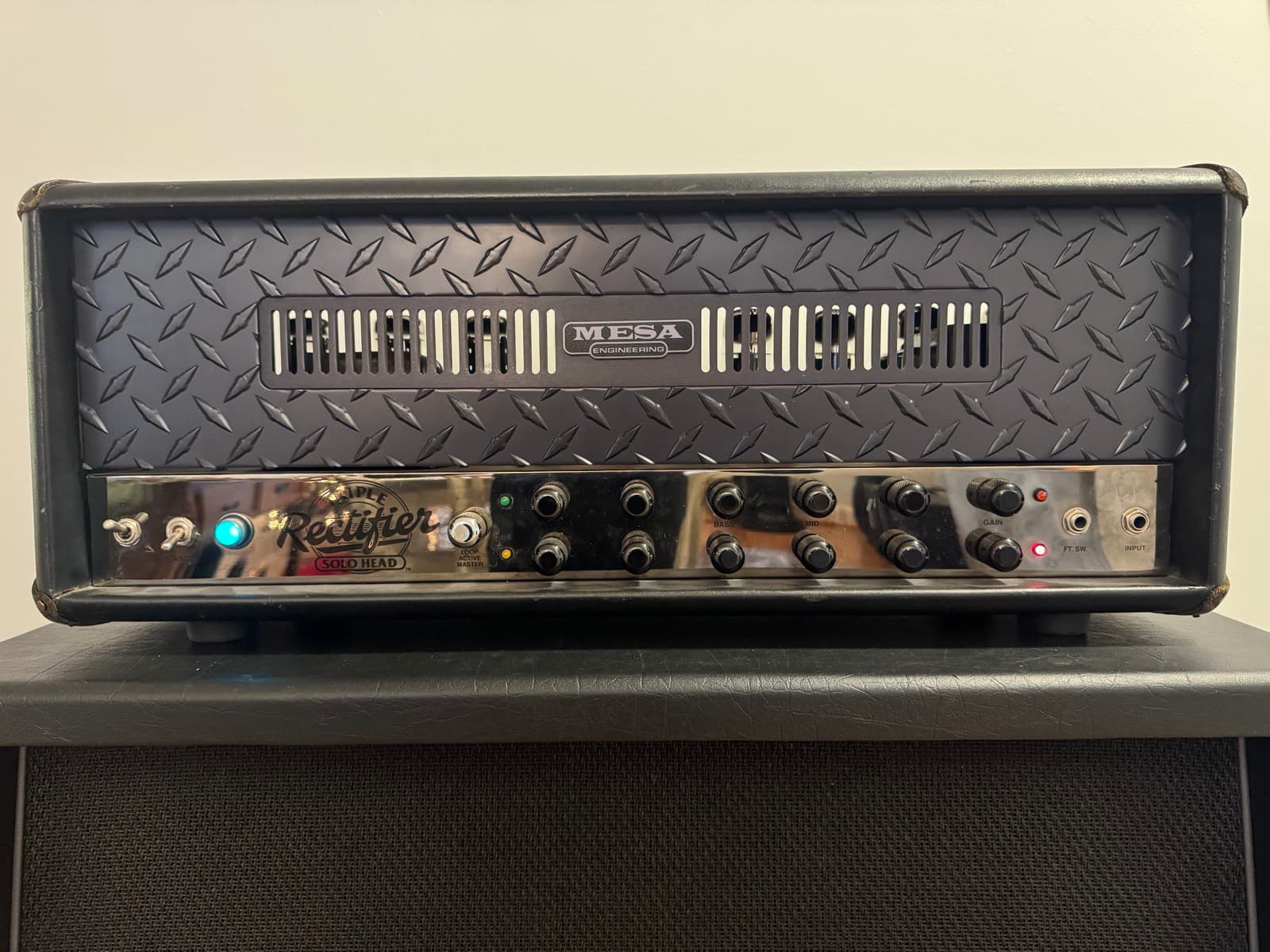
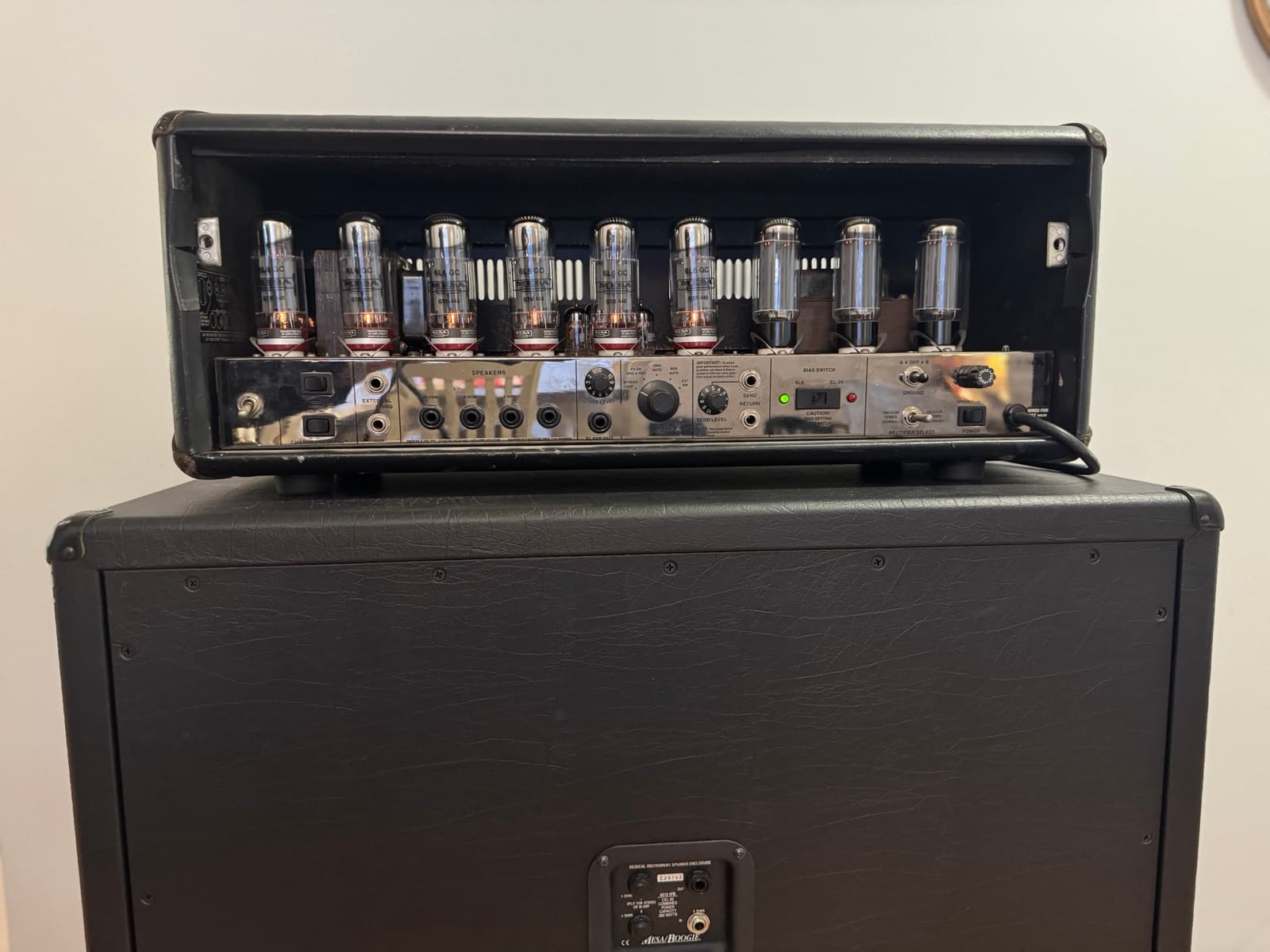
The Rectifier uses an FX loop send for the same purpose, though its parallel loop means the dry signal still travels through the power amp to the speaker output, something to be aware of in the capture workflow.
How We Capture (And the One Exception We'll Tell You About Up Front)
Our Rectifier and 5150 captures are preamp-only, and we capture them in a way that surprises most people: the amp's FX Send goes straight into the Quad Cortex. No load box. No reactive load. Nothing between the amp and the QC.
This trips people up because one rule gets drilled into everyone: never run a tube amp without a speaker load. That rule is about the speaker output: the power tubes and output transformer genuinely need a load or they fail. But the FX Send isn't the speaker output. It's a line-level tap from before the power amp. There's nothing to load. So for a preamp capture, a load box isn't gear we skip to save time. It's simply not part of the signal path at all. (The head still runs into its cab as normal while we capture, purely for tube safety, but that cab has nothing to do with the captured signal. The QC only ever sees the FX Send.)
That's why our Rectifier and 5150 captures contain the preamp stage and nothing else: no power amp, no cab, no mic coloration. You choose what comes after. Pair the Rev F Rectifier preamp capture with any power amp stage and any IR and you hear exactly that combination, not a doubled mess.
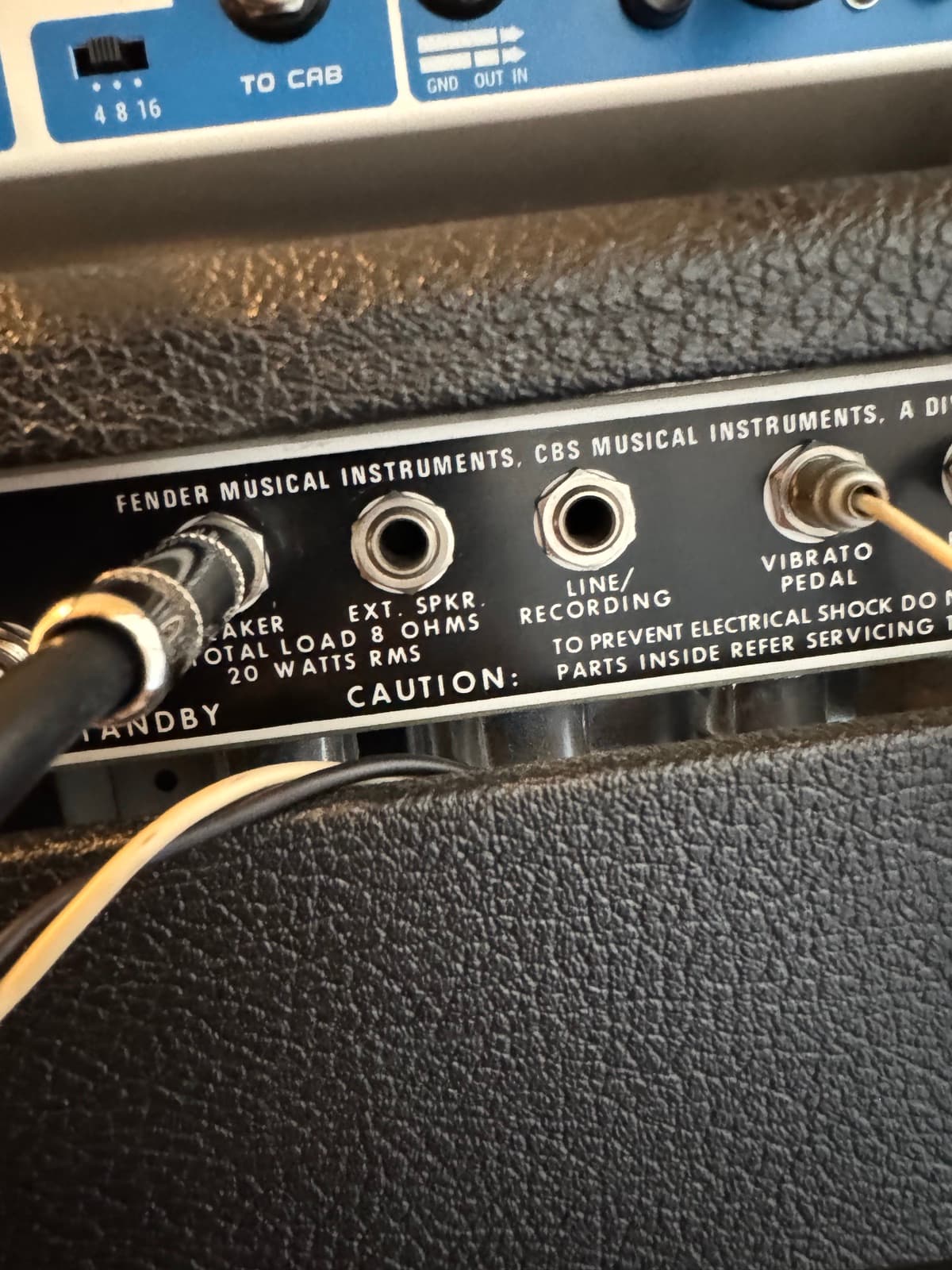
The exception: the Fender. A 1979 Fender Deluxe Reverb has no FX loop and no preamp out. It was built decades before anyone thought about tapping a preamp. There is physically no way to capture only its preamp. The only signal you can take is the speaker output, which means a load box, and which means the capture necessarily includes the power amp. So our Fender capture is an amp-head capture (preamp + power amp, no cab), not preamp-only like the others. We're telling you that here because the whole point of this article is that you should know what's in a capture before you buy it. We're not going to mislabel our own catalog to keep a tidy story.
The One Time We Have No Choice: The Load Box
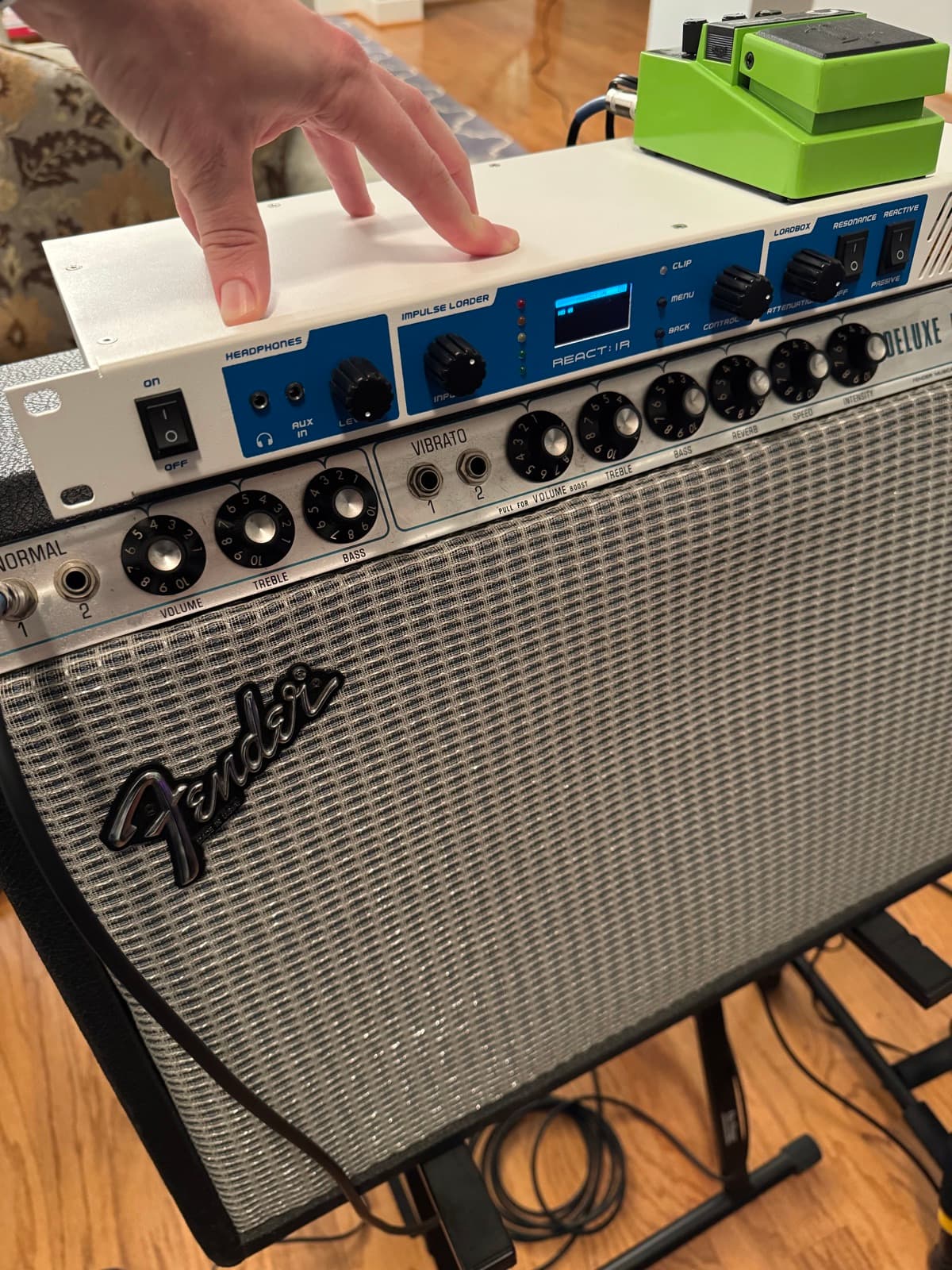
To capture that Fender, we run its speaker output into a St. Rock React:IR load box. St. Rock is a small independent shop in Ukraine that designs everything in-house: schematics, board, firmware, DSP. Not the household name in this category, which is part of why we like it.
When you do have to take a speaker output, the load box matters more than people think. A resistive load is a bank of resistors: it presents a flat, static impedance, and real speakers don't behave that way. Cabinet impedance rises and falls with frequency and has a resonant peak at the speaker's fundamental. That changing load is part of what shapes how the power amp responds. The React:IR's "reactive-resonance" mode reproduces that low-end impedance peak, not just the high-frequency rolloff simpler reactive loads correct for, so the Fender's power section behaves the way it would into a real cab, and the capture reflects that.
We won't claim it's objectively "the most transparent box," because experienced players will rightly tell you that's a meaningless absolute. Load behavior shifts with every amp and cab. What's fair is what shootout testers actually report: in a community comparison against the Suhr Reactive Load, the React:IR was described as giving a closer approximation of a Mesa Oversized V30 tone, with a slightly tighter midrange and the top end sitting differently. For a capture you want accurate, that's the right kind of character.